Google Gemini AI Photo Editing Prompts for Men
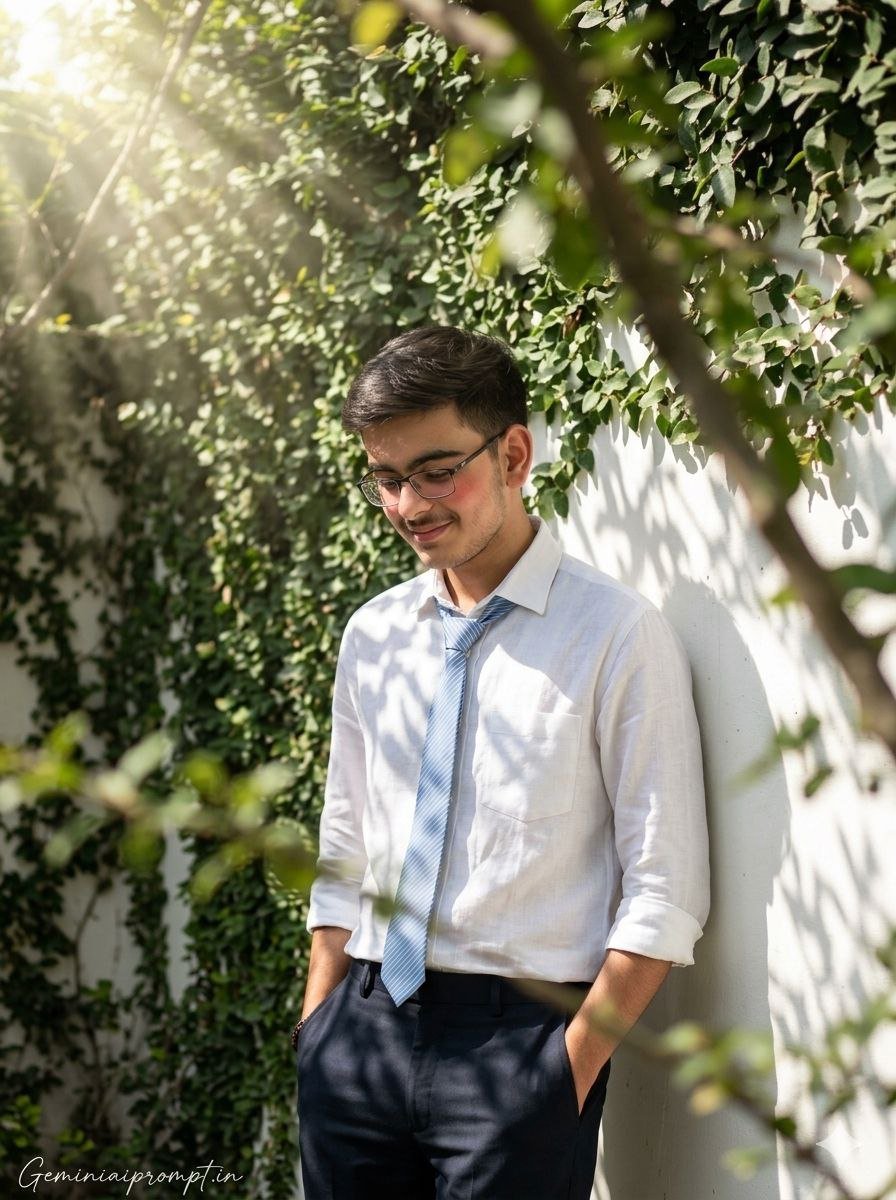
(Use uploaded reference face exactly, zero modification) FACE LOCK — ZERO MODIFICATION POLICY Face must remain 100% identical to the reference image. No reshaping, no beautification filters, no smoothing effects. Preserve natural facial proportions, pores, beard strands, and hairline. Ultra-HD crystal-clear sharp facial detail required. ASPECT RATIO • 3:4 vertical STYLE Ultra-photorealistic cinematic outdoor portrait photography. Soft green aesthetic with natural sunlight and artistic shadow play. 8K ultra-detailed professional DSLR look. SCENE DESCRIPTION A peaceful outdoor courtyard with a white painted wall partially covered in green ivy leaves, creating a calm green aesthetic atmosphere. Bright sunlight passes through tree branches above, creating dramatic god rays and dappled leaf shadows across the wall and subject. SUBJECT & POSE A handsome young man using the exact uploaded reference face, standing casually against the white wall. • Back lightly resting on the wall • Both hands relaxed inside trouser pockets • Head slightly tilted downward • Soft shy expression with a subtle blush OUTFIT DETAILS Crisp white linen shirt with rolled-up sleeves, paired with a light blue striped tie slightly loosened at the collar. Dark tailored trousers with natural fabric folds visible. HAIR & DETAILS Soft natural hairstyle with slightly tousled texture. Natural skin pores and realistic facial details clearly visible. ENVIRONMENT DETAILS Foreground includes blurred green leaves and branches, adding depth and framing. Small patches of sunlight create organic shadow patterns on the wall. LIGHTING Strong natural sunlight from the top left corner, producing cinematic god rays filtering through leaves. Distinct diagonal leaf shadows and slatted light patterns across the face and shirt. CAMERA & STYLE Shot with an 85mm portrait lens, eye-level composition. Ultra-sharp subject focus with soft natural depth of field. NEGATIVE PROMPT cartoon style, anime, CGI skin, blur, low resolution, plastic texture, distorted anatomy, watermark, logo.
Generate Image:
👉 Use ChatGPT
👉 Use Gemini AI
Google Gemini AI Photo Editing Prompts for Men
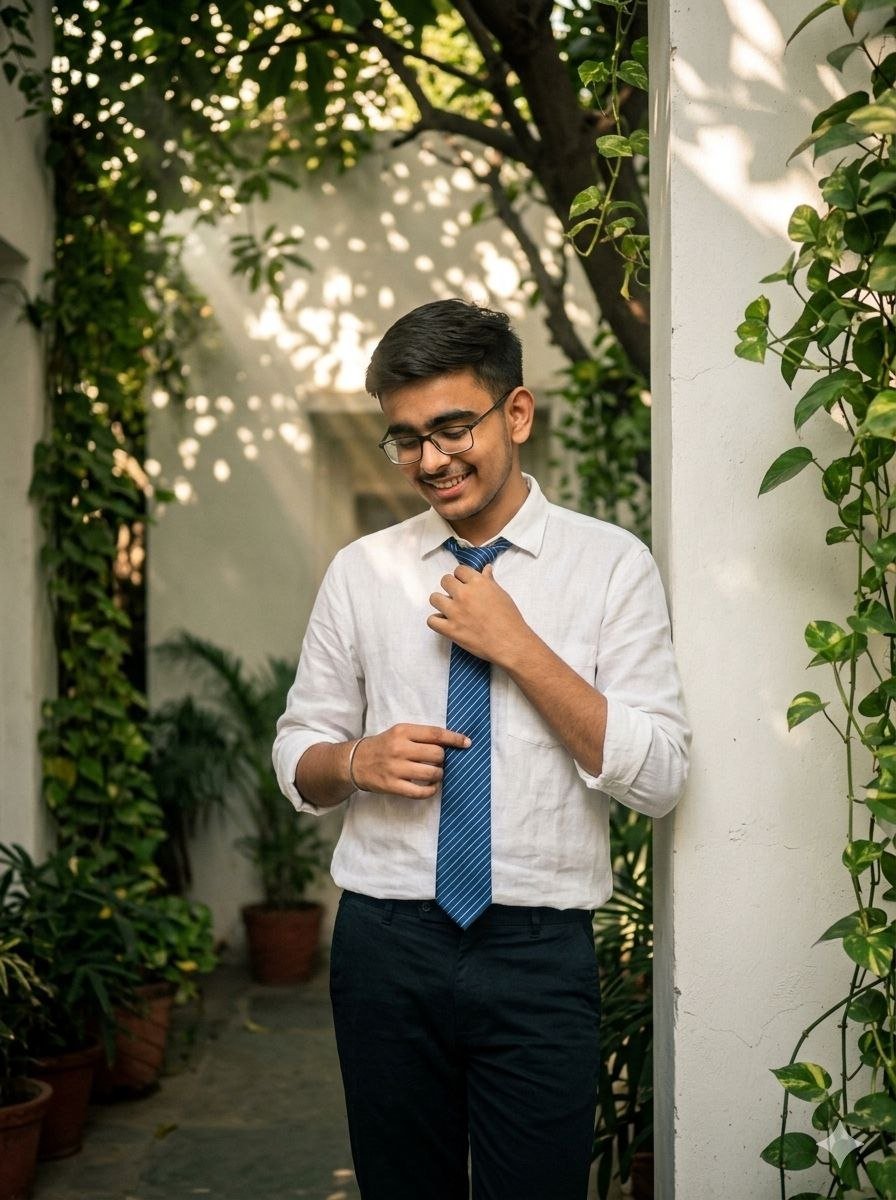
Use uploaded reference face exactly, zero modification) FACE LOCK — ZERO MODIFICATION POLICY Face must remain exactly identical to the reference image. No reshaping, no beautification filters, no smoothing. Preserve natural skin pores, beard texture, and hairline. Ultra-HD razor-sharp facial clarity required. ASPECT RATIO • 3:4 vertical STYLE Cinematic outdoor portrait with soft green tones and atmospheric sunlight beams. Ultra-realistic DSLR photography style with high dynamic range. SCENE DESCRIPTION A quiet white courtyard wall surrounded by lush greenery, with vines and plants growing around the edges. Sunlight passes through overhead tree leaves, creating soft god rays and patterned leaf shadows across the subject and wall. SUBJECT & POSE A handsome young man with the exact uploaded reference face standing near the wall. • One shoulder leaning lightly against the wall • One hand adjusting the tie • Other hand relaxed by his side • Eyes looking slightly downward with a calm shy expression OUTFIT DETAILS Elegant white linen shirt with rolled sleeves, paired with a blue striped tie and slim dark trousers. Subtle wrinkles in the linen fabric add realism. HAIR & DETAILS Natural slightly messy hairstyle illuminated by sunlight. Fine skin texture and facial detail visible in HD clarity. ENVIRONMENT DETAILS Foreground filled with soft green foliage partially framing the subject. Small leaves cast dappled light spots across the shirt and wall. LIGHTING Warm sunlight streaming through leaves from above, forming cinematic volumetric light rays. Balanced contrast with soft highlights on hair and face. CAMERA & STYLE Professional DSLR 50mm portrait lens, shallow depth of field with crisp subject focus. NEGATIVE PROMPT cartoon style, anime, CGI skin, blur, low resolution, plastic face, distorted body, watermark, logo.
Generate Image:
👉 Use ChatGPT
👉 Use Gemini AI
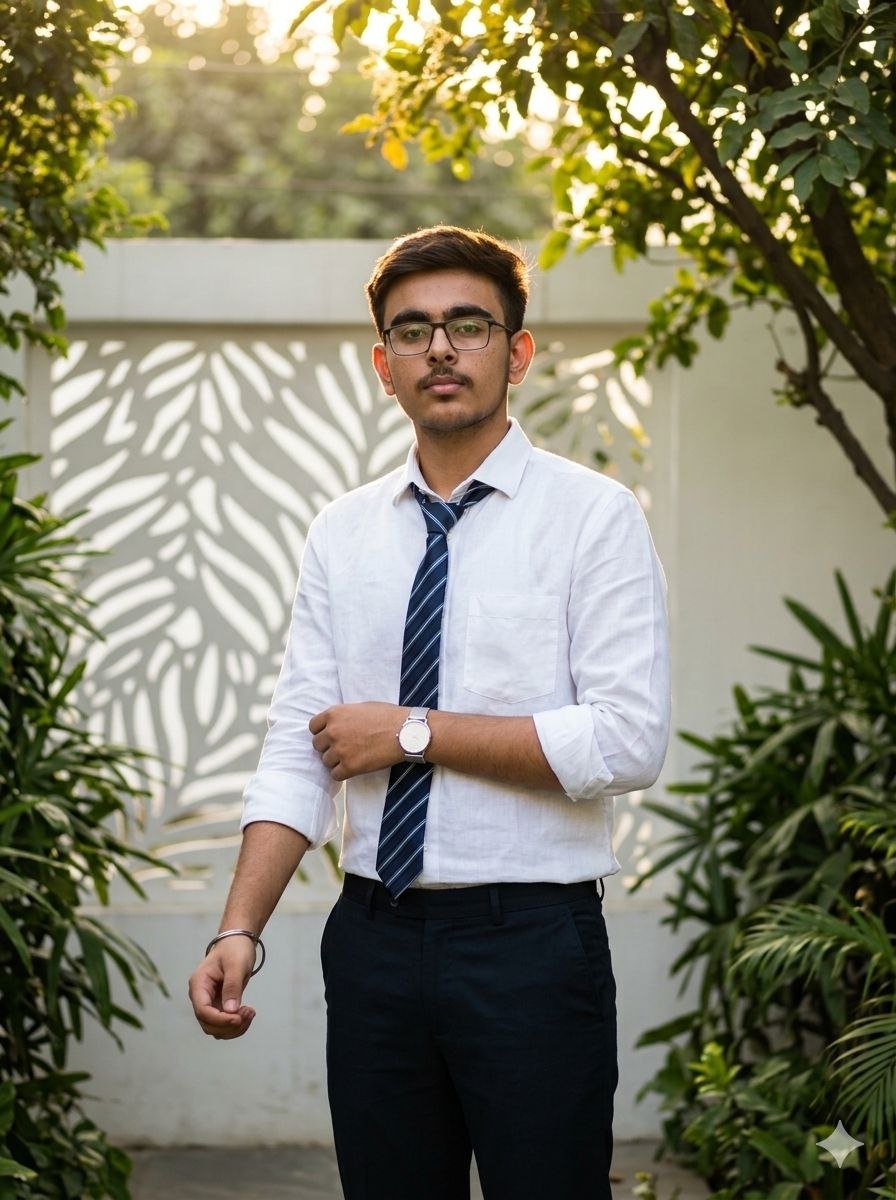
(Use uploaded reference face exactly, zero modification) FACE LOCK — ZERO MODIFICATION POLICY Face must remain exactly same as reference image. No reshaping, no beautification filters, no smoothing effects. Maintain original facial proportions, pores, beard detail and hairline. Ultra HD crystal-clear sharpness required. ASPECT RATIO • 3:4 vertical STYLE Ultra-realistic cinematic fashion portrait with natural garden lighting. Soft green color palette with warm sunlight highlights. Professional DSLR photography look, 8K detail. SCENE DESCRIPTION A quiet garden courtyard with a white wall and surrounding greenery. Sunlight filtering through tree branches creates soft circular leaf shadows across the wall. SUBJECT & POSE A handsome young man with the exact uploaded reference face standing confidently in the garden. • Body slightly angled to the camera • One hand adjusting the rolled sleeve • Other hand casually inside pocket • Calm confident expression OUTFIT DETAILS Elegant white linen shirt with rolled sleeves, paired with blue striped tie slightly loosened. Dark fitted trousers and clean minimalist watch. HAIR & DETAILS Hair softly illuminated by sunlight from behind. Natural skin pores and micro facial texture clearly visible in HD. ENVIRONMENT DETAILS Green plants and leaves frame the edges of the scene. White wall reflects soft sunlight creating natural glow. LIGHTING Warm golden sunlight passing through tree leaves. Creates organic leaf shadow patterns across shirt and background. Subtle rim light highlighting hair edges. CAMERA & STYLE Shot on professional DSLR with 50mm portrait lens. Eye-level cinematic composition with shallow depth of field. NEGATIVE PROMPT cartoon style, CGI skin, blur, low resolution, distorted body, extra limbs, watermark, logo.
Generate Image:
👉 Use ChatGPT
👉 Use Gemini AI
 INSTAGRAM