Introduction (AI Background Change Prompt)
Artificial Intelligence has completely changed the way people edit photos. What once required advanced Photoshop skills and hours of manual editing can now be accomplished in seconds using AI-powered image editing tools. One of the most popular editing trends today is AI background replacement, where a plain or unattractive background is transformed into a stunning professional environment with a simple text prompt.
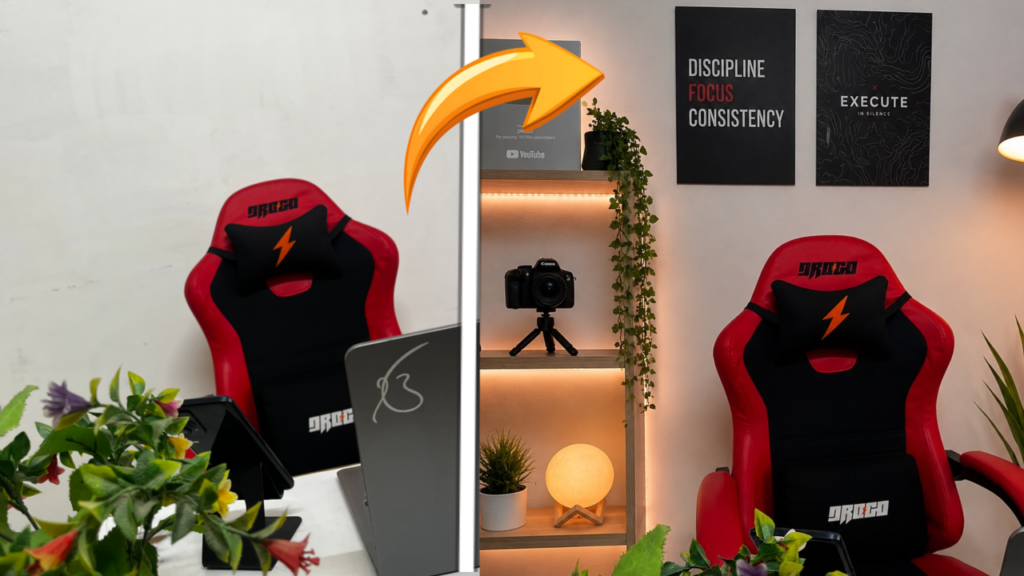
The image shown above is a perfect example of this transformation. On one side, we see a simple room with a plain wall and minimal decoration. On the other side, the same space has been converted into a modern creator studio featuring stylish shelves, warm LED lighting, decorative plants, professional camera equipment, and motivational wall art. The result is a premium-looking workspace that appears professionally designed.
This type of AI editing has become extremely popular among YouTubers, content creators, freelancers, gamers, marketers, and social media influencers who want their photos to look more professional without spending money on expensive room renovations. By using a well-written AI Background Change Prompt, anyone can achieve similar results within minutes.
In this guide, you’ll learn how this background transformation works, the exact prompt used to create this effect, how to customize it for your own photos, and professional tips for getting the most realistic results possible.
What Is an AI Background Change Prompt?
An AI Background Change Prompt is a detailed instruction given to an AI image editing tool that tells it how to replace or redesign the background of an existing image.
Instead of manually removing backgrounds and adding new elements, AI understands your text description and automatically generates a completely new environment while preserving the original subject.
For example, you can instruct the AI to:
- Replace a plain wall with a luxury office.
- Turn a normal room into a gaming setup.
- Create a modern creator studio.
- Add professional lighting and decor.
- Transform an indoor space into a premium workspace.
The more detailed your prompt is, the better the AI understands the desired result and produces a realistic transformation.
Before and After Transformation Explained
The example image demonstrates how powerful AI background editing has become.
Before (AI Background Change Prompt)
The original image contains:
- Plain white wall
- Basic workspace
- Minimal decoration
- Simple room environment
- Less visual appeal
Although the setup is functional, it lacks the professional appearance often seen in modern creator studios.
After (AI Background Change Prompt)
Using an AI background change prompt, the room is transformed with:
- Premium wooden shelves
- Warm LED lighting
- Decorative indoor plants
- Professional camera equipment
- Motivational wall posters
- Modern workspace design
- Enhanced depth and atmosphere
The result looks significantly more expensive, organized, and visually appealing.
This type of transformation is ideal for content creators who want their photos to stand out on social media, YouTube, blogs, or professional platforms.
AI Background Change Prompt
Copy and use the following prompt (AI Background Change Prompt):
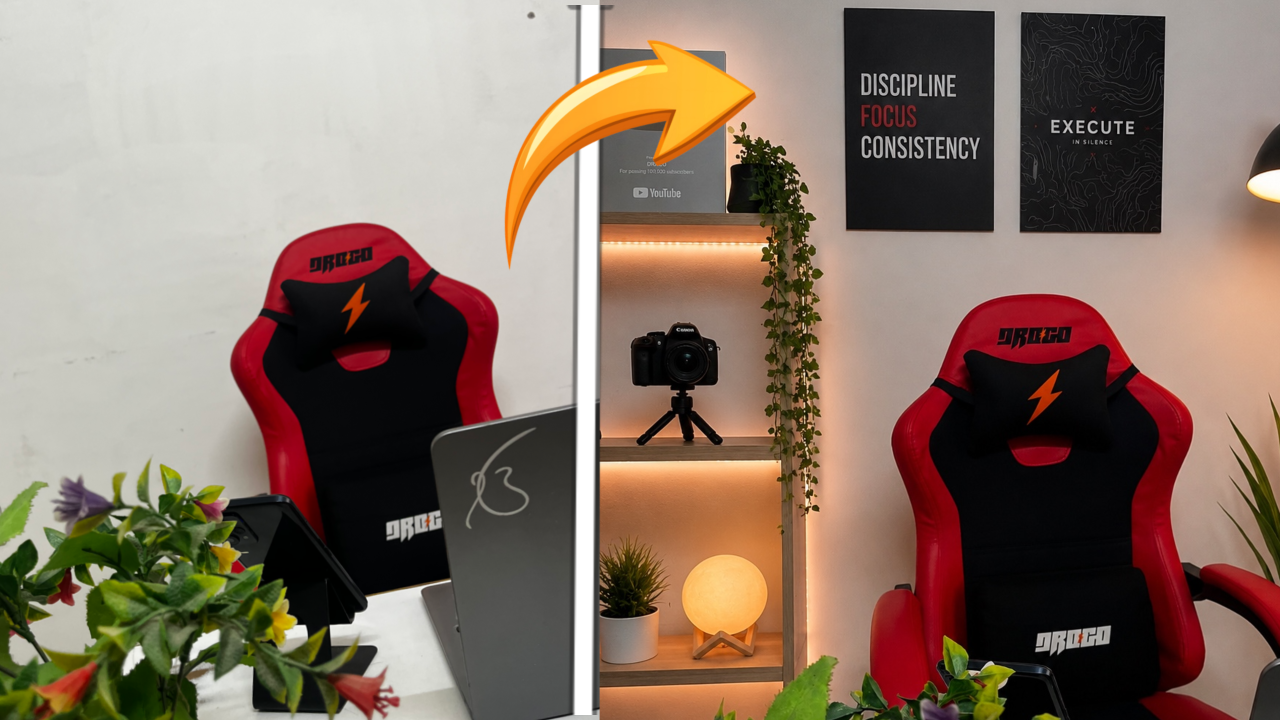
Add aesthetic objects to this room to make it a clean YouTube studio background. Do not remove or change anything already present. Keep it minimal and organized-add soft lighting (LEDs/lamp), a few posters, small plants, and subtle creator elements like a camera or mic. Avoid clutter, keep it realistic and visually pleasing.
Generate Image:
👉 Use ChatGPT
👉 Use Gemini AI
Why This Prompt Works So Well
Many users wonder why some AI-generated images look realistic while others appear fake.
The answer lies in prompt quality.
This prompt works effectively because it includes multiple important details:
Modern Interior Design(AI Background Change Prompt)
The AI understands that the room should have a contemporary and stylish appearance.
Warm LED Lighting(AI Background Change Prompt)
Lighting plays a major role in realism. Warm lighting creates a professional and welcoming atmosphere.
Decorative Elements(AI Background Change Prompt)
Plants, cameras, and wall posters help make the room feel authentic rather than artificially generated.
DSLR Photography Quality(AI Background Change Prompt)
Including photography-related terms encourages AI to generate higher-quality details.
Depth of Field
This creates a professional camera effect that improves realism.
How to Use This AI Prompt
Using this prompt is extremely simple.
Step 1: Choose an AI Editing Tool
Popular options include:
- Gemini AI
- ChatGPT Image Editor
- Adobe Firefly
- Canva AI
- Photoshop Generative Fill
Step 2: Upload Your Photo
Choose a photo with a visible background that you want to transform.
Step 3: Select Background Editing
Most AI tools provide a background replacement or image editing option.
Step 4: Paste the Prompt
Copy the prompt provided above and paste it into the AI editor.
Step 5: Generate the Image
Allow the AI to process the request and generate the transformed image.
Step 6: Download the Result
Review the final image and download the version you like best.
Benefits of Using AI Background Change Prompts
AI background replacement offers numerous advantages compared to traditional editing methods.
Saves Time
Instead of spending hours editing manually, AI can generate professional results within seconds.
No Design Skills Required
Even beginners can create high-quality edits without Photoshop knowledge.
Cost Effective
There’s no need to invest in expensive studio setups or room renovations.
Unlimited Creativity
You can experiment with countless environments and styles.
Professional Appearance
AI helps transform ordinary photos into premium-quality visuals suitable for professional use.
Best Uses for This Background Change Prompt
YouTube Content
Content creators can create professional thumbnails and branding images.
Social Media Profiles
An attractive background can significantly improve profile photos.
Personal Branding
Freelancers and entrepreneurs can create a more professional online presence.
Marketing Content
Businesses can use AI-enhanced images for promotional materials.
Blogging
Bloggers can create visually appealing feature images.
Gaming Content
Gamers can showcase their setup with a modern creator-style background.
Tips for Getting More Realistic Results
If you want even better results, follow these professional tips.
Use High-Quality Images
AI performs better when the original photo is clear and well-lit.
Keep Lighting Consistent
The new background should match the lighting direction of the original image.
Add Realism Keywords
Words such as:
- Photorealistic
- Ultra detailed
- Cinematic lighting
- Professional photography
- Realistic shadows
often improve image quality.
Generate Multiple Versions
Create several variations and choose the most realistic one.
Preserve the Subject
Always specify that the main subject should remain unchanged.
Common Mistakes to Avoid
Many users make simple mistakes that reduce image quality.
Using Short Prompts
Vague prompts produce generic results.
Ignoring Lighting
Mismatched lighting can make the edit look fake.
Overloading the Scene
Adding too many elements can create unrealistic compositions.
Low-Quality Original Images
Poor source images often lead to weaker AI outputs.
Forgetting Realism Instructions
Always include terms related to realism and photography quality.
Advanced Prompt Version
For even better results, try this enhanced version:
Replace the plain white wall behind the chair with a modern YouTube creator studio. Add wooden floating shelves with warm LED strip lighting, a DSLR camera placed on the middle shelf, a glowing table lamp on the bottom shelf, hanging green plants, black motivational posters on the wall, premium interior design, realistic shadows, natural lighting matching the original image, photorealistic, ultra detailed, 8K quality. Keep the gaming chair, laptop, desk and foreground objects unchanged.
Generate Image:
👉 Use ChatGPT
👉 Use Gemini AI
Frequently Asked Questions
Can AI replace any background?
Yes. Most modern AI tools can replace almost any background with a new environment.
Which AI tool gives the best results?
Gemini AI, ChatGPT Image Editor, Adobe Firefly, and Photoshop AI are among the most popular choices.
Is AI background replacement free?
Many tools offer free versions, although advanced features may require a premium plan.
Can I use AI-generated backgrounds commercially?
This depends on the specific platform’s terms of use. Always check the licensing policy before commercial use.
Why does my result look unrealistic?
The most common reasons are poor lighting, weak prompts, or low-quality source images.
Conclusion
AI background replacement is one of the easiest ways to transform ordinary photos into professional-looking visuals. As shown in the before-and-after example above, a simple room can be converted into a stunning creator studio featuring premium lighting, modern shelves, decorative elements, and a professional atmosphere.
By using a detailed AI Background Change Prompt, anyone can create eye-catching images for YouTube, social media, blogging, marketing, or personal branding without spending money on expensive setups. Simply upload your image, use the prompt provided in this guide, and let AI create a completely new environment within seconds.