Flying Boy AI Video Editing – Create a Superhero Flying Video from Your Photo
Flying Boy AI Video Editing, Nowadays, many creative AI videos are going viral on social media platforms. One popular trend shows a person standing in an open area and suddenly lifting off the ground, flying into the sky like a superhero. These videos look incredibly realistic, and many people assume they were filmed with professional cameras or special effects.
But the truth is, you can create this type of video yourself using AI tools and just a single photo.
In this article, I’ll guide you through the complete process of creating a Flying Boy AI video using your own image. Follow the steps carefully and you’ll be able to make a similar cinematic video in just a few minutes.
Details About Flying Boy AI Video Editing
This type of video is created using AI technology. Instead of recording a real video, you only need a single photo. The AI tool transforms that image into a short cinematic animation.
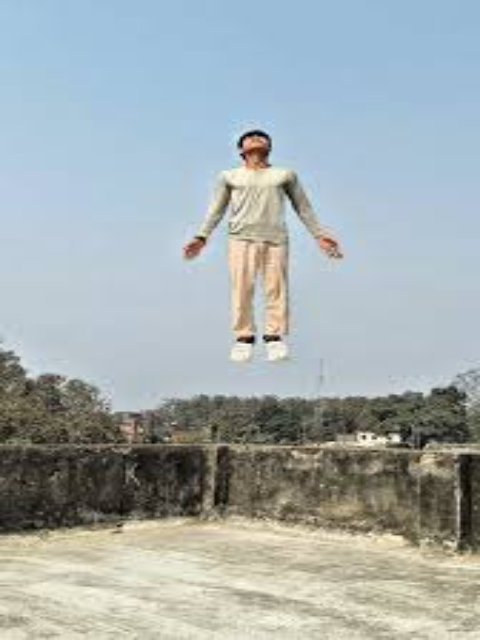
In the video, a person is shown standing in an open field with their arms slightly spread. After a moment, the person slowly starts levitating and rising into the air as if they have some supernatural power.
The effect looks extremely realistic, almost like a scene from a movie. However, the entire animation is generated using a prompt and an AI tool. In this tutorial, we will create this video using Flow AI, which allows you to convert an image into a cinematic video.
How to Prepare Your Photo for This Video
Before generating the video, you need to capture the right kind of photo. The quality and pose of the image will greatly affect the final result.
Here are a few tips for preparing your image:
- Choose a location like an open field, park, or empty rooftop where the background looks natural and spacious.
- Stand straight in the center of the frame.
- Raise both of your hands slightly upward or outward.
- Close your eyes and keep a calm expression, as if you are focusing your energy or summoning a power.
Once you take a photo in this pose, it will work perfectly for generating the flying animation.
After preparing the image, copy the AI prompt provided below and use it in the AI tool.
Flying AI Video Editing Prompt
AI Flying Video Prompt
Important Note About CapCut Templates
Sometimes CapCut templates may not open in certain regions because of app restrictions. If the template button does not work, try opening it later or access it directly from the official CapCut application.
The link provided simply redirects you to the original template page. We are not affiliated with CapCut, and all rights belong to their respective owners.
How to Generate Your Video
Creating the video using Flow AI is very simple. Just follow these steps:
- First, copy the AI prompt provided above.
- Click on the Generate Your Video button to open the Flow AI website.
- Sign in to your account.
- Click on New Project.
- In the dashboard, select the Text to Video option.
- After that, choose Frame to Video.
- Upload the photo you prepared earlier.
- Paste the copied prompt into the prompt section.
- Finally, click the Generate button.
Within a few moments, the AI will create a cinematic flying video based on your image and the prompt.
Conclusion
With the help of AI tools, you can now turn a simple photo into an impressive cinematic video. The Flying Boy AI trend is a great example of how powerful AI video generation has become.
By following the steps in this guide, you can easily create your own flying superhero video that looks similar to the trending clips on social media.
Once you understand this process, you can experiment with different prompts and create many other types of AI videos as well.
If you want to learn more about trending AI video editing techniques, keep exploring and practicing with new tools.